

How to Update Your Password for Enhanced Security
In our continuous effort to maintain the highest security standards, we've updated our password requirements. This quick guide will walk you through the simple process of updating your password on our platform, ensuring you meet the new criteria for a robust, secure password.
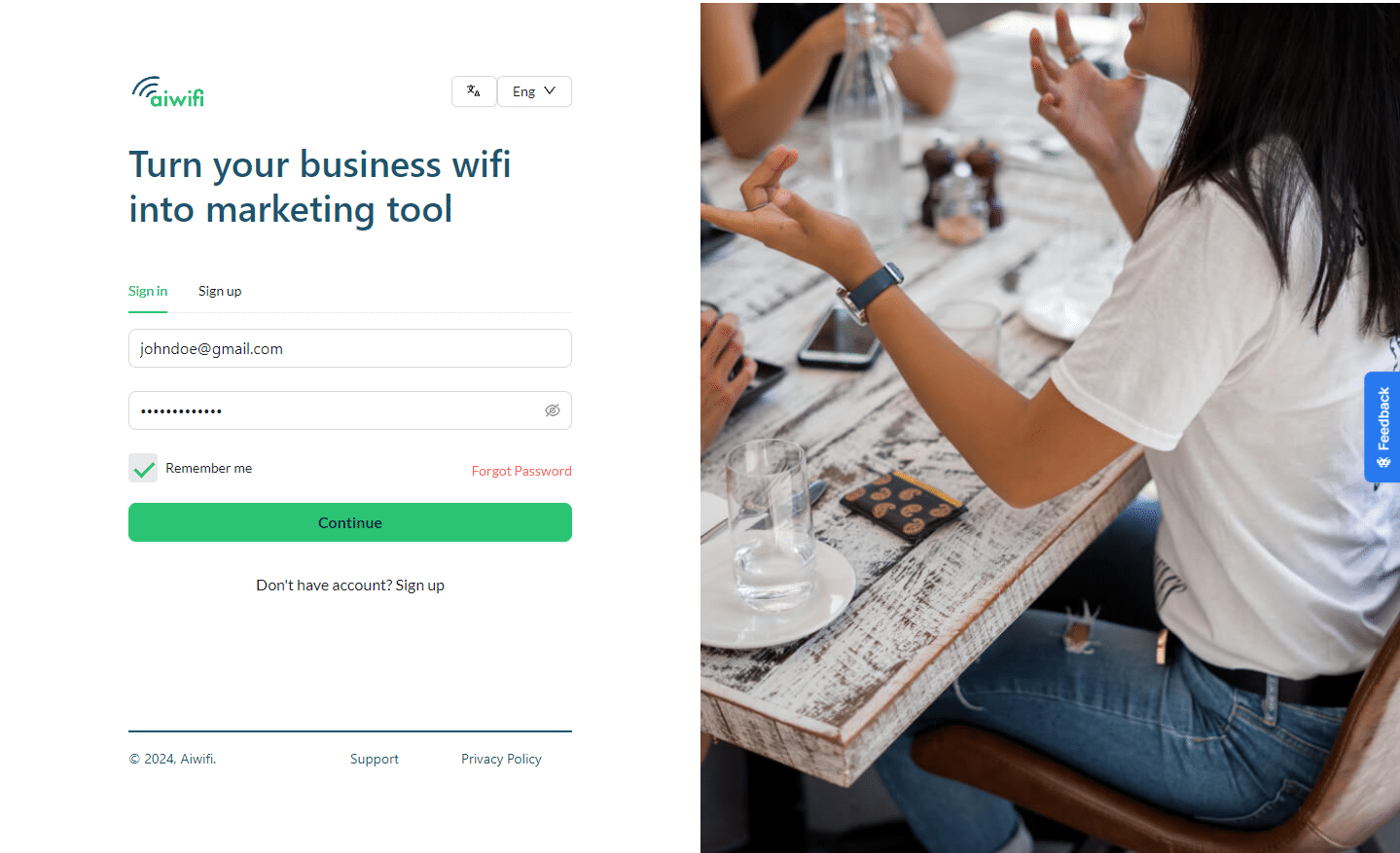
Step 1: Log In to Your Account
Begin by signing in with your current credentials. This will take you to the main dashboard of our platform.
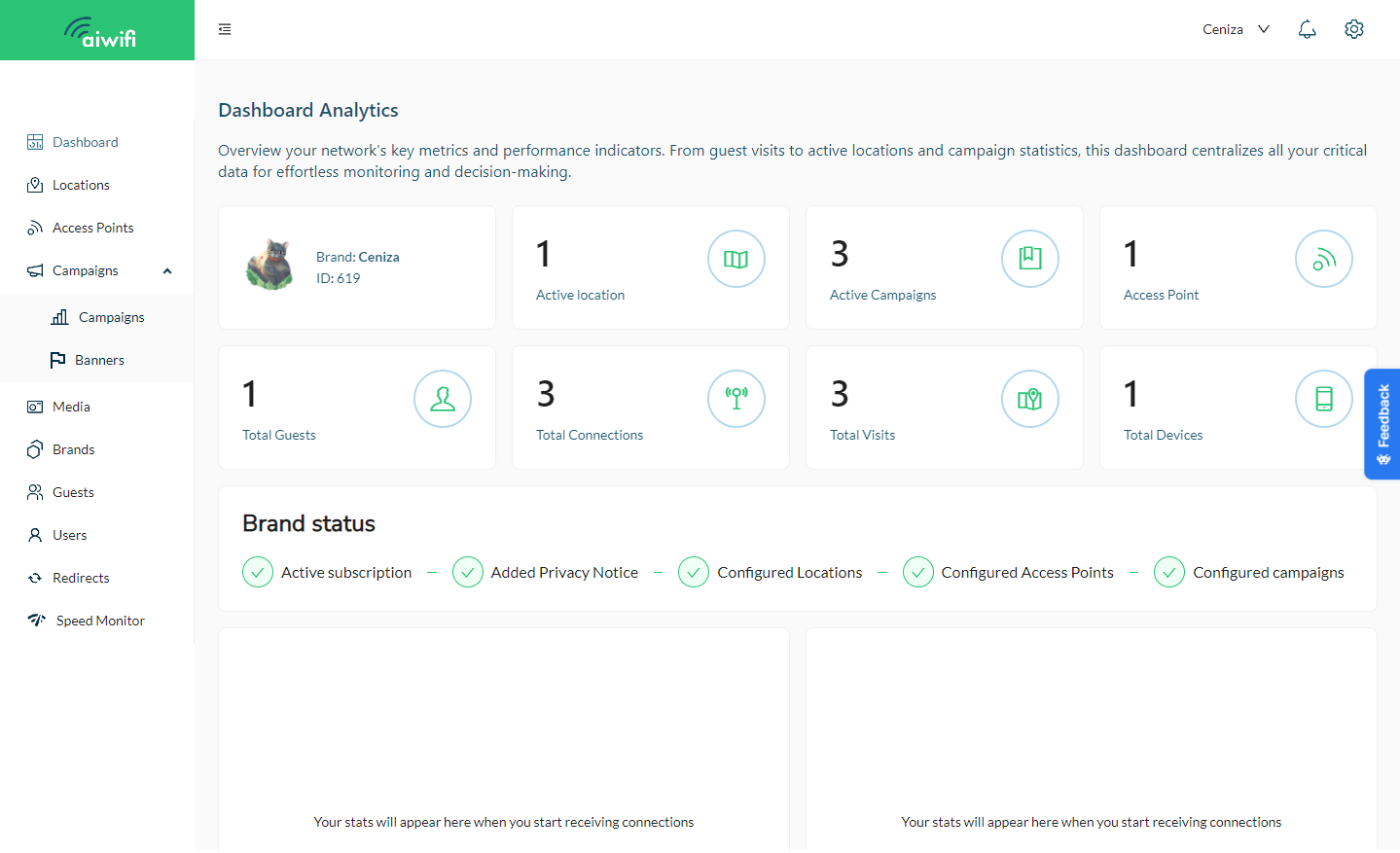
Step 2: Access Settings Locate the cog icon on the top right corner of your screen. This is the universal symbol for settings. Click on this icon to proceed to your account settings.
Navigate to the Password Section Within the settings menu, find and go to the "Password" section. This is where you can manage your password details.
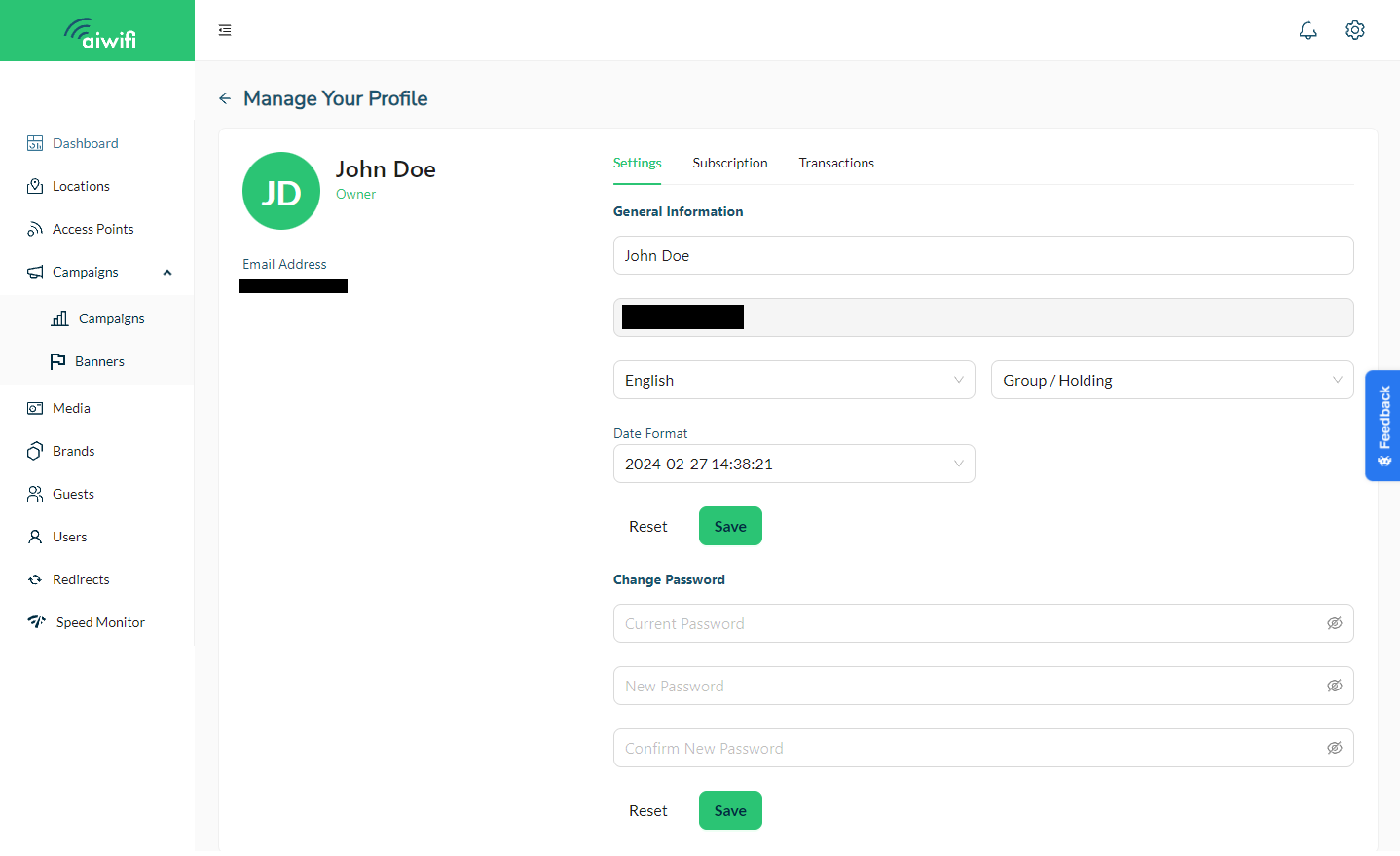
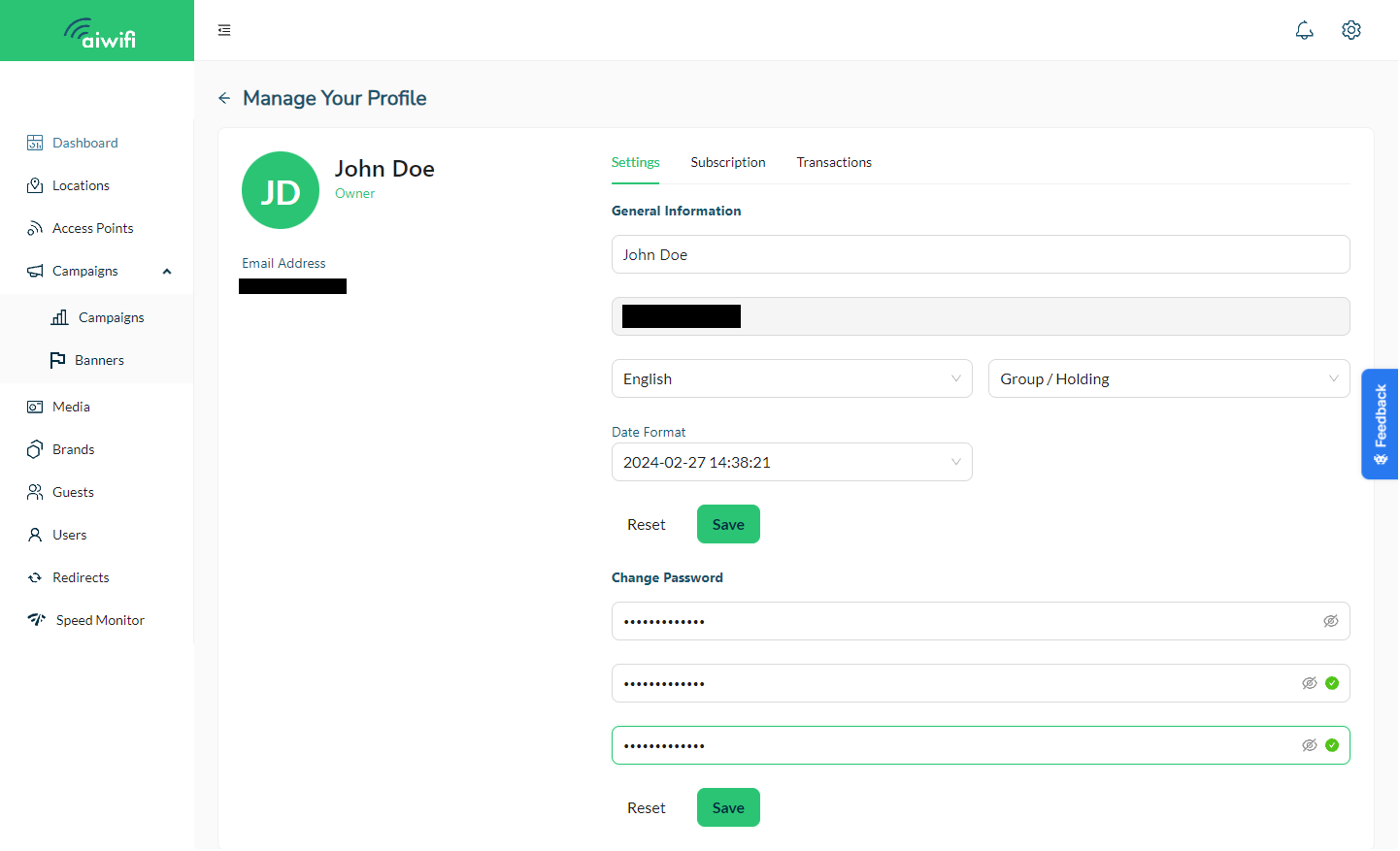
Enter Your Password Details
-
Current Password: Start by typing your existing password. This is to verify your identity and safeguard your account.
-
New Password: Create your new password, ensuring it meets the updated requirements:
-
At least one uppercase letter (A-Z)
-
At least one lowercase letter (a-z)
-
At least one number (0-9)
-
At least one symbol (e.g., !, @, #)
-
A minimum of 10 characters in length
-
Confirm New Password: Re-enter your new password to confirm accuracy. This prevents any typos from locking you out of your account.
-
Save Your New Password Once you’ve entered all the details, review your information to make sure it’s correct. Then, save your new password to secure your account with the updated standards.
Password Tips: Choose a password that is unique to this account and not used elsewhere. Avoid using easily guessed information like your name or birthdate. Consider using a passphrase—a series of words that create a phrase—not easily guessed by others but memorable to you.
Need Help? If you encounter any issues or have questions, our support team is on standby. Reach out to us through the Help/Feedback section, or directly via platform@aiwifi.io, and we’ll be glad to assist you.
Conclusion: Updating your password not only aligns your account with the latest security practices but also gives you peace of mind. Your digital safety is our top priority, and we're here to support you every step of the way. Thank you for taking the time to strengthen your account's security.
Remember to log out and log back in with your new password to confirm the update was successful. Stay safe and secure!